
Disclosure: This post may contain affiliate links. We may earn a commission at no extra cost to you if you buy through them.
Macrosoft Office 365 Pro Plus Review 2026: Worth It?
If you want Word, Excel, PowerPoint, and Outlook at a low price, the Macrosoft Office 365 Pro Plus (Windows and Mac) listing looks tempting at £33.30. Macrosoft is an independent online software store, not Microsoft, and it sells digital license keys with immediate delivery. Because software keys sold far below Microsoft’s own prices deserve a careful look, this review covers what the listing promises, what does not add up, and what to check before you buy. We have not purchased or tested this product, so everything below is based on the store’s published information.

Macrosoft Overview: Who Is Behind the Store?
Macrosoft Store S.R.L. is a company registered in Timisoara, Romania, with a VAT number listed on its site. It sells digital licenses for Microsoft Office versions, Windows, Windows Server, Adobe, Autodesk, CorelDRAW, and antivirus products. Support is offered through WhatsApp, email, and live chat.
The product reviewed here is listed as Microsoft Office 365 Pro Plus (Windows and Mac), with the reference code 05PEW1. According to the listing, it includes locally installable Word, Excel, PowerPoint, Access, Publisher, OneNote, and Outlook, plus 1 TB of personal cloud storage. The store says the apps can be installed on up to 5 computers, 5 tablets, and 5 smartphones.
It helps to know the background. Office 365 ProPlus was renamed Microsoft 365 Apps for enterprise in April 2020, and it has long been a per-user subscription that is normally managed through a Microsoft organization account. That is why the way this product is sold, as a store-delivered license, is worth examining closely.
Macrosoft Features and Specifications
| Item | Details from the listing |
|---|---|
| Product | Microsoft Office 365 Pro Plus (Windows and Mac), ref. 05PEW1 |
| Seller | Macrosoft Store S.R.L. (independent reseller) |
| Price | £33.30 including VAT (UK store) |
| License type options | “Annual Subscription” and “Perpetual License” are both shown |
| Apps | Word, Excel, PowerPoint, Access, Publisher, OneNote, Outlook (2019 versions named) |
| Windows requirements | Windows 7 SP1 to Windows 10, 1 GHz processor, 2 GB RAM, 3 GB disk space |
| Delivery | Digital key sent within minutes of payment |
| Refund policy | Refund within 30 days, according to the listing |
| Volume discounts | 5% for 3 units, 10% for 10, 15% for 25, 20% for 50 |
Highlights the store advertises
The product page lists immediate digital delivery, an installation guide, simple activation, multilingual support, and a license that is reusable if you reformat your device. It also promises updates where applicable and a 30-day satisfaction guarantee. These are the seller’s claims, and we could not independently confirm them.
What the suite includes
The listed apps cover most office needs, from documents and spreadsheets to email and note-taking. Access and Publisher run only on Windows, which the listing states directly. The page also mentions Microsoft Sway for interactive presentations and Shared Computer Activation for shared machines.
What to Expect When Buying From Macrosoft
This section describes the buying process as the store presents it. It is not based on a purchase of our own.
Ordering and delivery
You add the product to your cart or use the one-click purchase option, pay by card or another listed method, and receive a product key digitally within minutes. The store says it includes an installation guide to help you activate the software.
Support
The product page advertises 24/7 support, including WhatsApp. The footer, however, says customer service is available Monday to Saturday from 9:00 AM to 8:00 PM, so the real support hours may be shorter than the headline suggests.
Potential benefits
The main attraction is price: £33.30 is a small fraction of what a company would normally pay for an Office subscription. Instant delivery, a refund window, and installation on multiple devices add to the appeal. If the key activates correctly, you get a familiar and capable office suite.
Macrosoft Drawbacks and Red Flags to Check
Several details on the listing do not fit together, and you should weigh them before paying.
Subscription or perpetual license?
The page offers both “Annual Subscription” and “Perpetual License” as options for the same product. Office 365 ProPlus was a subscription, while the 2019 apps named in the description are normally associated with perpetual licensing. The listing does not explain which one you actually receive, so ask the seller before buying.
The price is far below Microsoft’s pricing
When Microsoft rebranded the product in 2020, reports put Office 365 ProPlus at about $12 per user per month, roughly $144 per year. A one-time £33.30 price is much lower, and that gap usually means a different kind of license than a standard per-user subscription. We cannot verify how these keys are sourced.
Mac support is unclear
The product title says “Windows and Mac,” but the technical details list only Windows platforms and operating systems. If you use a Mac, confirm compatibility in writing first.
Older operating system list
The listed system requirements go up to Windows 10 and Windows Server 2016, and mention Windows 7 and 8, which Microsoft no longer supports. Windows 11 is not named. Check that the software will install on your current system.
Business and compliance risk
If you plan to use the software for a company, license terms matter. A key from a third-party reseller may not meet your organization’s compliance requirements, and it may not be tied to your own Microsoft account or tenant. Businesses should confirm the license source or buy directly from Microsoft or an authorized partner.
Limited independent verification
We did not purchase or activate the key, and the claims of an “original license” and “reusable in case of formatting” come from the seller. Treat them as unverified until you have tested the product within the refund period.
How Macrosoft Compares With Other Options
Versus buying directly from Microsoft
Microsoft sells Microsoft 365 plans directly, with clear subscription terms, official support, and updates tied to your account. The price is higher, but there is little doubt about what you are buying. If certainty matters more than saving money, this is the safer route.
Versus free alternatives
If your needs are basic, free options such as the online versions of Word, Excel, and PowerPoint, or the LibreOffice suite, may be enough. They cost nothing and carry no activation risk. You give up some desktop features and Outlook, but many home users never need them.
Versus other Macrosoft Office listings
The same store lists related products such as Office 365 Personal at £29.18, Office 365 Home at £32.51, and Business Premium at £57.52. If you only need Office for yourself, one of these may fit better than the Pro Plus listing, but the same caution about license type applies.
Who Should Buy From Macrosoft?
It may suit you if you:
- Are price-sensitive and comfortable buying from a third-party software reseller
- Will test the key right away and request a refund within 30 days if it fails
- Use Windows and want the classic desktop Office apps
You may want to look elsewhere if you:
- Need licenses that are guaranteed compliant for a business or organization
- Use a Mac and need confirmed compatibility
- Want the latest Microsoft 365 features and direct Microsoft support
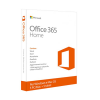
Current Macrosoft Deal
Discount available for Macrosoft
There is a current discount link available for Macrosoft. It is a limited-time offer that may change or end without notice, so check the final price at checkout while the deal lasts.
Macrosoft Price and Where to Buy
On the UK store, the Office 365 Pro Plus (Windows and Mac) listing costs £33.30 including VAT. Volume discounts apply to bigger orders, from 5% off three licenses to 20% off fifty. Prices and currency may differ by country version of the store, so confirm the final amount at checkout.
Before you pay, read the refund and digital delivery policies, ask which license type you will receive, and keep proof of purchase. Paying with a method that offers buyer protection can also reduce your risk.
Macrosoft FAQ
Is Macrosoft owned by Microsoft?
No. Macrosoft Store S.R.L. is an independent reseller based in Romania that sells digital software licenses, including Microsoft products.
Is Office 365 Pro Plus the same as Microsoft 365 today?
Mostly. Microsoft renamed Office 365 ProPlus to Microsoft 365 Apps for enterprise in April 2020, with no change in price or features at the time.
Does it work on Mac?
The title says Windows and Mac, but the technical details list only Windows. Confirm Mac compatibility with the seller before you buy.
How much does it cost?
The UK store lists it at £33.30 including VAT, with volume discounts for larger orders.
How is the license delivered?
The key is sent digitally within minutes of payment, according to the store, along with an installation guide.
Is there a refund policy?
The listing mentions a refund within 30 days if you are not satisfied. Read the full returns page for the exact conditions.
Is it safe to buy?
We cannot confirm that. The seller makes strong claims, but we have not tested the key, so use the refund window, pay with a protected method, and confirm the license type first.
Final Verdict: Is Macrosoft Worth It?
The Macrosoft Office 365 Pro Plus listing offers a very low price, instant delivery, and a refund window, but the mixed license details and unclear Mac support call for caution. If you decide to try it, test the key immediately and keep your proof of purchase. If the discount is still active, you can check the current price below.