

Disclosure: This post may contain affiliate links. We may earn a commission at no extra cost to you if you buy through them.
Creao AI vs ChatGPT 2026: Which Should You Use?
If you already use ChatGPT for research and drafting but keep repeating the same tasks by hand, Creao AI is worth a look. Creao AI (branded CREAO) is an AI agent builder that starts as a chat with a Super Agent and can turn a successful conversation into an agent that runs on its own. You can start for free with no credit card, then scale to paid plans as your agents take on more work. In this review, we cover what CREAO does, its pricing, real-world use cases, drawbacks, and how it compares with ChatGPT.
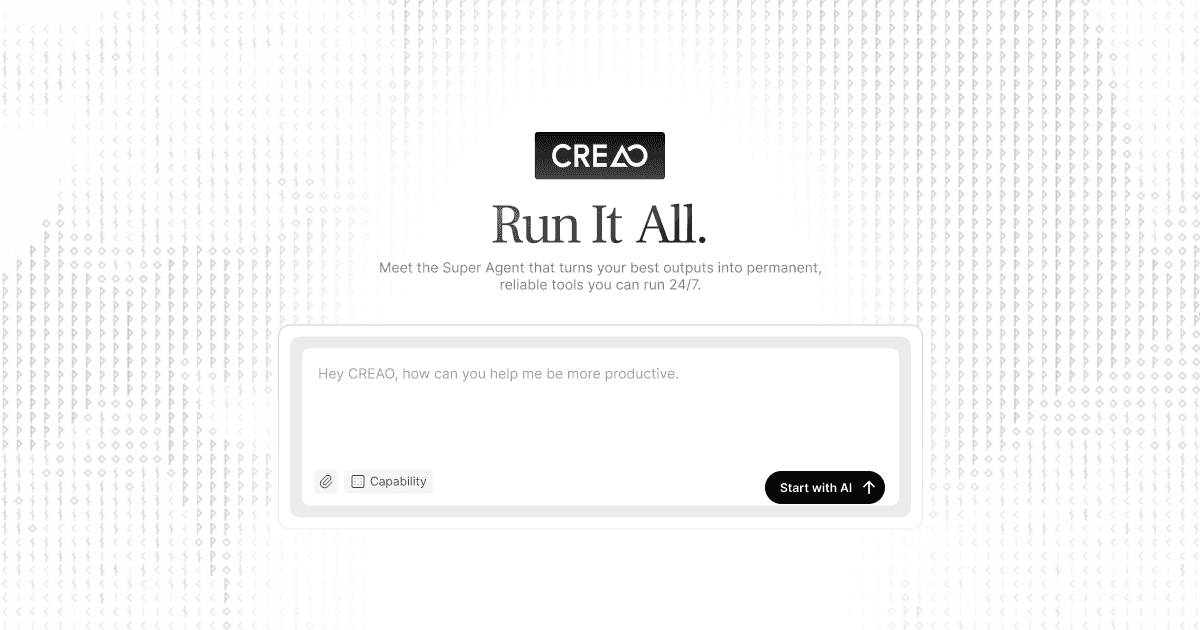
Creao AI Overview: What Is CREAO?
CREAO describes itself as a chat-to-create platform built around a Super Agent. You start by chatting about research, writing, analysis, files, or ideas, and the Super Agent does real work inside the conversation. The platform is not locked into a single AI model, and it is free to start.
The idea that sets it apart is turning conversations into agents. Once a conversation produces a result you like, you can convert it into an agent in one click. According to CREAO, these agents run around the clock in a secure sandbox and carry context forward across every scheduled run.
Three building blocks make this work. Memory keeps your facts, decisions, and context across conversations. Skills teach agents to perform specific tasks reliably. Connectors link the agent to tools such as Gmail, Google Sheets, Outlook, GitHub, Slack, and more than 100 others.
Note that much of this information comes from CREAO’s own published pages, so treat the claims as the brand’s description rather than independent test results.
Creao AI Features and Plans
| Feature | Details |
|---|---|
| Category | AI agent builder and AI workflow automation |
| Core tool | Super Agent (chat-based) plus custom agents and skills |
| Models | Standard models on Free; premium models and custom model selection on paid plans |
| Connectors | Gmail, Calendar, Sheets, Outlook, GitHub, Slack, and 100+ more |
| Memory | Cross-conversation memory with categories and a Memory page |
| Scheduled runs | 1 concurrent run on Free, up to 4 on higher plans |
| Team size | 1 person on Free, up to 50 on Ultra |
| Pricing model | Monthly plans with credits; extra credits available |
Memory that carries across chats
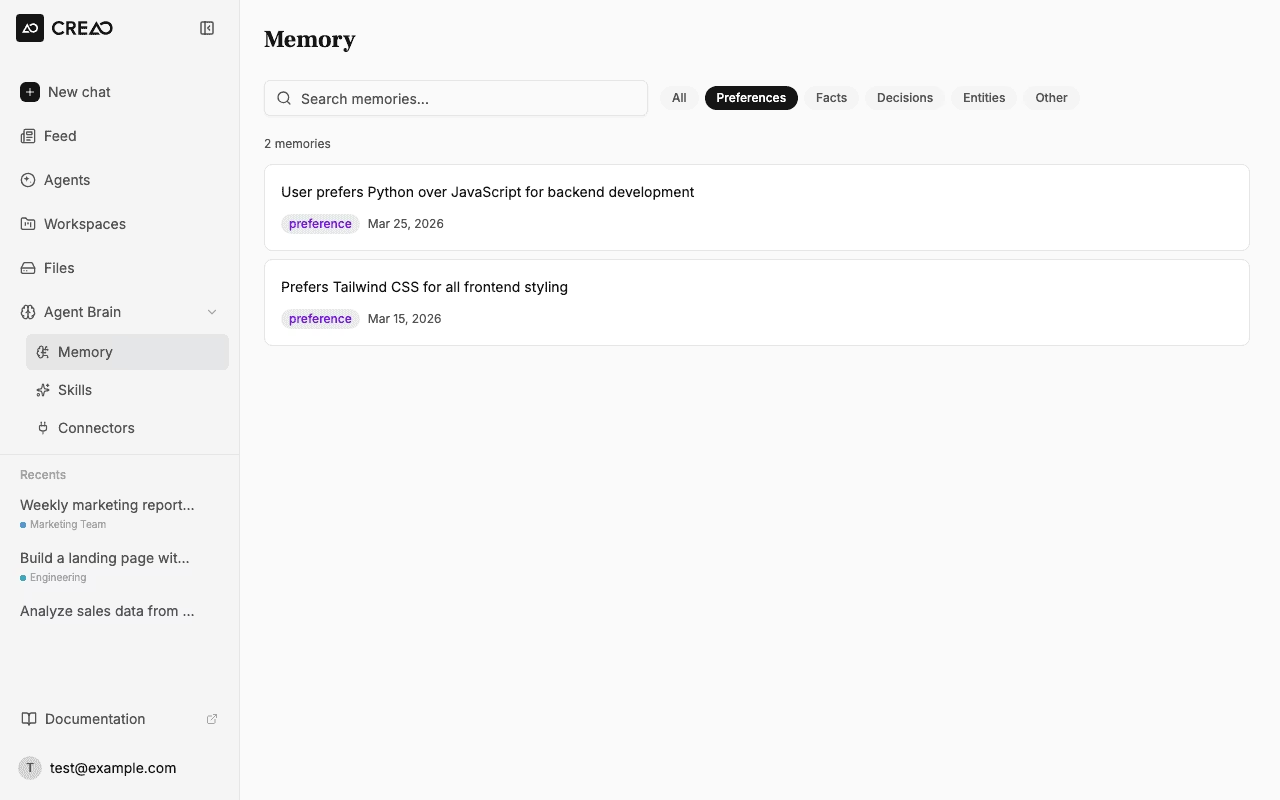
Memory is one of CREAO’s central features. A preference, decision, or fact you share in one thread is available in all future threads, and recent memories load at the start of each new chat. Memories can be saved when you ask, or the agent can save durable context on its own.
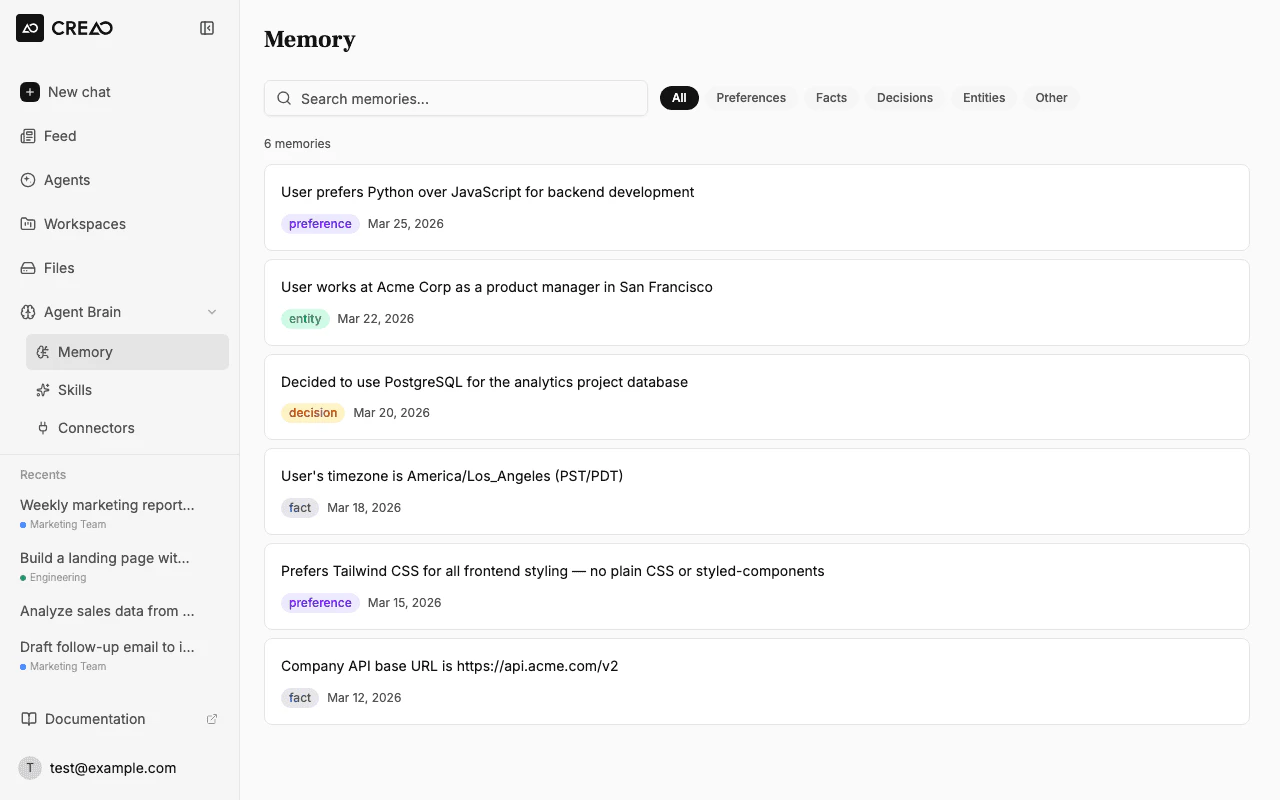
Every memory is tagged as a Preference, Fact, Decision, Entity, or Other, and you can view, search, filter, and delete them from the Memory page. There is also a Playbooks tab, where the agent captures recurring task patterns it learns from your history and applies them automatically.
Skills, connectors, and scheduled runs
Skills help agents repeat a task the same way each time, while connectors let them act inside the apps where your work already lives. Scheduled runs let an agent work hands-off on the cadence you choose. The number of runs that can happen at once depends on your plan.
Real-World Use: What to Expect
This section is based on CREAO’s published materials and what its features typically mean in practice. It is not a long-term hands-on test.
Research you repeat
CREAO’s example is researching a strategy document. The agent does the research with you and remembers what you decided and which sources you trusted. The next pass should start further ahead instead of from zero.
Weekly competitive scans
The first run is the real work: working out which sources matter, what to look for, and how to format the output. After that, you turn it into an agent and it can run on a schedule, for example every Monday. For marketers and founders, this removes a task that would otherwise be rebuilt from scratch each week.
Monthly updates and reports
CREAO also points to recurring documents such as monthly investor updates. The first draft is collaborative, and over time the agent is meant to remember your tone, metrics, and structure. The work then shrinks to reviewing and editing.
Working inside your tools
Because agents connect to tools like Gmail, Sheets, and Slack, they can act where your data already is. That matters if you want results delivered into a spreadsheet or inbox rather than copied out of a chat window.
Creao AI Drawbacks to Watch Out For
Credit-based usage
Paid plans include a monthly credit allowance, and extra credits cost $0.15 each (with a discount on large purchases). The pricing page does not spell out how many credits a typical task uses, so it is hard to predict your real monthly cost before you try it.
The free plan is limited
The free plan gives you 30 one-time credits plus 5 daily credits per team, standard models only, one connector per agent app, and one scheduled run at a time. That is enough to test the concept but not to run many agents.
Vendor-supplied information
Most of the claims about reliability, memory, and 24/7 operation come from CREAO itself. We could not independently verify them, so run your own test on a real task before relying on an agent for important work.
A learning curve for agents
Getting value from skills, connectors, and scheduled agents takes some setup and review. If you only need quick answers or one-off drafting, a simple chat assistant may be enough.
A fast-moving category
AI agent platforms change quickly, so features, credits, and plan limits may change. Check the current pricing page before you commit to a yearly plan.
Creao AI vs ChatGPT and Other Tools
Creao AI vs ChatGPT
ChatGPT is the most widely used AI assistant and is a strong thinking partner for research, drafting, analysis, and reasoning. According to CREAO’s comparison page, ChatGPT has added Agent mode, scheduled tasks, Custom GPTs, and Apps. Scheduled tasks in ChatGPT repeat the same prompt each time, while CREAO’s scheduled agents are built from successful conversations and carry context forward across runs.
In short, ChatGPT is a good fit when the deliverable is your own clearer thinking. CREAO is aimed at work you will repeat, such as recurring reports and monitoring. Many people could reasonably use both: ChatGPT for open exploration and CREAO for work that should keep running.
Creao AI vs workflow automation tools
Traditional workflow tools usually need you to design each step and trigger yourself. CREAO’s approach is to describe the job in plain language and let the agent build the workflow. The trade-off is less manual control, so more technical teams who want to wire every step may still prefer a classic automation tool.
Who Should Use Creao AI?
It is a good fit if you:
- Repeat research, reports, or updates on a regular schedule
- Want an AI assistant that remembers your context across chats
- Use tools like Gmail, Google Sheets, Slack, or GitHub and want agents to act inside them
- Are a marketer, freelancer, solopreneur, or small team looking to automate routine work
You may want to look elsewhere if you:
- Only need occasional one-off answers or drafts
- Want fully predictable monthly costs with no credits
- Prefer to build every automation step yourself
Current Creao AI Deal
Discount available for Creao AI
There is a current discount link available for Creao AI. It is a limited-time offer that may change or end without notice, so check the final price at checkout while the deal lasts.
Creao AI Pricing and Where to Start
CREAO offers a free plan and several paid tiers. The prices below were listed at the time of writing, with a yearly option that the brand says saves 20%. Always confirm current pricing before you subscribe.
| Plan | Price (monthly) | Highlights |
|---|---|---|
| Free | $0 | 1 member, 30 one-time credits plus 5 daily credits, standard models |
| Pro | $20 | Up to 3 people, 200 credits per month, premium models |
| Pro Plus | $50 | Up to 5 people, 600 credits per month, priority support |
| Max | $150 | Up to 10 people, 2,000 credits per month, 4 concurrent runs |
| Ultra | $1,000 | Up to 50 people, 20,000 credits per month |

Larger companies can contact CREAO about an enterprise setup with SSO and flexible credits. For most individuals, starting on the free plan is the lowest-risk way to see whether agents fit your workflow.
Creao AI FAQ
Is Creao AI free?
Yes, there is a free plan with no credit card required. It includes 30 one-time credits plus 5 daily credits per team, standard models, and one scheduled run at a time.
How is Creao AI different from ChatGPT?
Both can research, write, and analyze, but CREAO is built to turn successful conversations into agents that run on a schedule. ChatGPT is mainly a thinking partner, although it also offers scheduled tasks and Custom GPTs.
Can Creao AI run tasks automatically?
Yes. Agents can run on a schedule, and CREAO says they carry context forward across runs. The number of scheduled runs you can have at once depends on your plan.
Does Creao AI have memory?
Yes. Memory carries your preferences, facts, and decisions across conversations, and you can view, search, filter, and delete saved memories.
Which tools can Creao AI connect to?
CREAO lists connectors for Gmail, Calendar, Sheets, Outlook, GitHub, Slack, and more than 100 other tools.
How much does Creao AI cost?
Plans range from free to $1,000 per month, with Pro at $20 per month and Pro Plus at $50 per month. Extra credits can be bought at $0.15 each.
Final Verdict: Is Creao AI Worth Trying?
Creao AI is a promising option if you want an AI assistant that remembers your context and turns repeatable work into scheduled agents. The free plan makes it easy to test, though credit-based pricing and vendor-supplied claims mean you should try a real task first. If the discount is still active, now is a good time to check the current price.